Landscape edits
Change the Season in a Landscape Photo with AI
Restyle a landscape into autumn or winter with a coherent seasonal brief, then inspect foliage, snow, water, buildings, and the original composition.
By Onhand Studio · September 16, 2026 · 4 min read
Specify the weather as well as the season
Autumn can mean early yellow leaves under bright sun or bare branches in cold rain. Winter can mean a light dusting of snow or deep drifts hiding the ground. Choose a specific version before editing. The more clearly you define what changes on trees, paths, and water, the easier it becomes to reject an image with incompatible seasonal cues. A single word such as winter leaves many of those decisions open.
Pick a landscape with a stable composition: a path leading to a cottage, a river bend, or a recognizable mountain ridge. Note the features that must remain. A seasonal interpretation can tolerate changed leaves; it may not tolerate an invented bridge or a missing building. Save the original and check the imported crop so those landmarks are inside the working frame.
Use Image to Image for a scene-wide change
Changing a season often affects much of the photograph, so choose Image to Image in Onhand. All generation engines support this workflow. Start around 40% strength with one available model, then compare against a slightly higher setting from the original if the seasonal change is weak. The slider spans 25% to 85%. Treat the starting value as a suggestion; it does not guarantee that landmarks or fine detail survive.
Early autumn landscape starting prompt
A winding footpath leading to a small stone cottage in early autumn, yellow and copper leaves on the deciduous trees, patches of fallen leaves beside the path, green grass still visible, soft cool daylight, the cottage below the same low wooded ridge.
Adapt the description to your own scene. Name a few visible seasonal changes and keep the rest brief. Avoid adding lakes, mountain peaks, or cabins that are absent from the source. The model has enough work changing the vegetation; extra scenic nouns may alter the layout you wanted to retain.
Treat snow as a change to surfaces
Light winter snowfall alternative
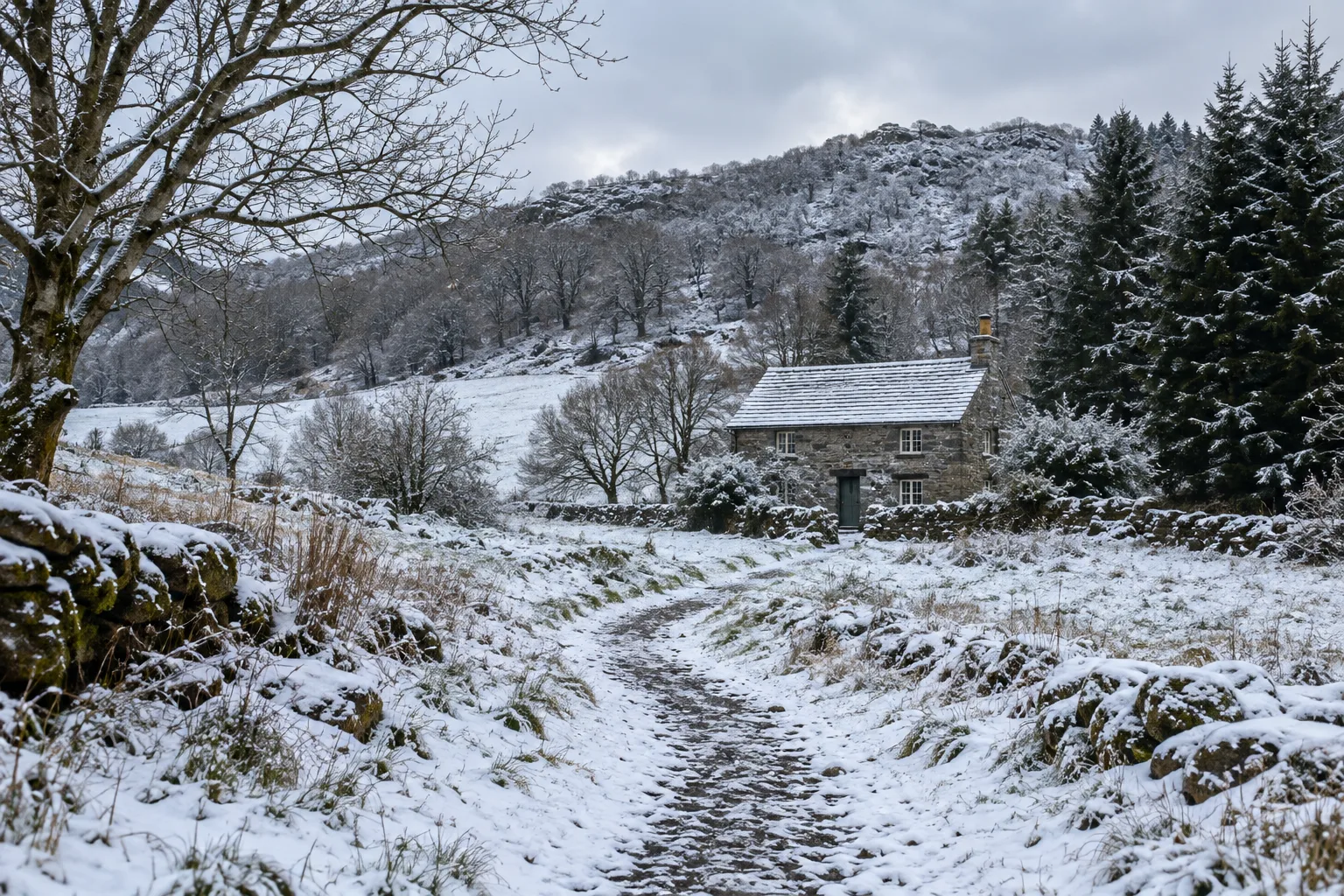
The stone cottage and winding path after a light winter snowfall, a thin uneven layer of snow on grass and roof surfaces, bare deciduous branches, evergreen trees remaining dark green, patches of the path visible, pale overcast daylight.
This brief makes a smaller change than deep snow and gives you more original structure to compare. Snow should interact with the visible scene rather than become white paint across every surface. Inspect roof edges, branch thickness, steps, and the path boundary. If the generated image buries the entrance or turns open water into an implausible white slab, revise the brief toward lighter accumulation.
Do not assume a seasonal prompt knows the actual location or vegetation. A scene with palms is not the same editing problem as one with deciduous woodland. Use the species or broad tree type only when you can identify it, and keep the result framed as an imagined seasonal view.
Check the season across the whole photograph
- Vegetation: compare foreground and background for incompatible foliage or accidental tree replacements.
- Ground: check whether leaves, snow, wetness, and exposed soil make sense together.
- Water: inspect reflections, shoreline edges, and any newly invented ice.
- Built features: count doors, windows, fences, and bridges against the source.
- Light: check that a colder sky has not left an unrelated warm spotlight on only one part of the scene.
Some variation is natural. A shaded patch can retain snow after an open path has cleared. The question is whether the image supplies a believable reason for the variation. Look for abrupt mask-like transitions, repeated identical snow clumps, and trees that change season halfway up a trunk. Those are more useful failure signals than expecting every surface to look uniform.
Choose the strongest coherent version
If the season is weak but the composition is good, try one modest strength increase from the original. If buildings or paths drift, reduce strength and simplify the seasonal description. Avoid repeatedly transforming a summer image into autumn, then winter, then spring; each result contains inventions that become the next pass’s starting material. Independent versions make the tradeoff easier to see.
Finish by comparing the final view with your original list of landmarks. Save the accepted interpretation separately. If you publish both, label the edited image as a seasonal concept so readers can distinguish an imagined view from an actual photograph taken in that weather.